Preparation
How to Take Good Eye Photos
Quality iris images are essential for accurate analysis. The easiest way is with your smartphone's front camera and a mirror — here's how.
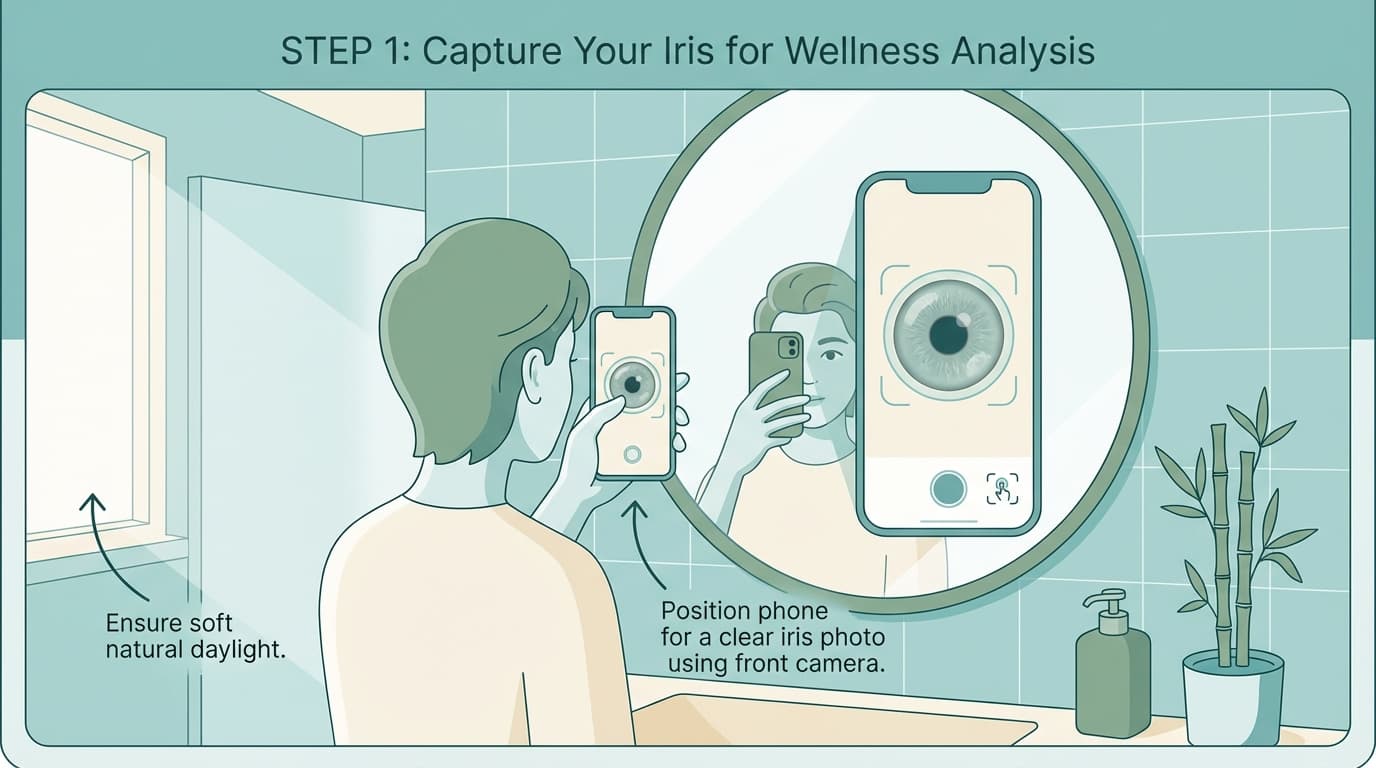
The Mirror Method
Using your phone's front (selfie) camera with a mirror is the easiest way to photograph your own iris. The mirror lets you see the screen so you can frame the shot perfectly.
Find Good Light
Stand near a window or bright lamp. Natural daylight works best — face the light source so it illuminates your eye evenly. Avoid overhead lighting that casts shadows.
Set Up Your Mirror
Place a mirror at eye level on a table or counter. You'll hold the phone between your eye and the mirror, watching the screen's reflection to frame the shot.
Switch to Front Camera
Open your camera app and switch to the front-facing (selfie) camera. This lets you see exactly what the camera sees via the mirror's reflection.
Position the Phone
Hold the phone about 10–15 cm (4–6 inches) from your eye. Look at the mirror to see the phone screen and center your iris in the frame.
Open Your Eye Wide
Raise your eyebrows like you're surprised — this exposes the upper part of your iris. With your free hand, gently pull down the lower eyelid to reveal the full iris.
Capture
When the iris fills most of the frame and looks sharp in the mirror's reflection, tap the shutter or use a voice command ("Cheese" on Samsung, "Capture" on iPhone) to take the photo hands-free.
Important: Photograph each eye separately — the left and right iris reveal different aspects of your personality and family lineage.
Having Someone Else Take the Photo
If another person can help, the process is simpler — they use the rear camera (higher quality) while you hold still.
Face Good Light
Sit facing a window or lamp so the light falls directly on your eye.
Cover One Eye
Cover one eye with your hand and look straight at the camera.
Expose the Full Iris
With your free hand, gently pull down the lower eyelid. Raise your eyebrows to open the upper lid wide.
Photographer Gets Close
The photographer should hold the phone 10–15 cm from your eye and fill the frame with the iris. Use macro mode if available.
Capture
When the iris is fully visible and in focus, take the photo. Repeat for the other eye.
Smartphone Settings
These are optional tweaks — most modern phones will take a perfectly good photo with default settings.
- Turn on HDR if your camera app has it — it captures more detail in bright and dark areas
- Enable macro or close-up mode if available — it helps focus at short distances
- Set resolution to the highest option for maximum detail
- Turn the flash on to illuminate the iris evenly (especially in dim rooms)
- Use a voice command or timer so you don't shake the phone when tapping the shutter
Other Camera Options
- Point-and-Shoot: Must have a macro setting to focus close enough
- SLR / Mirrorless: Best quality — use an 80–105 mm macro lens with a ring flash for even lighting
Bottom line: A smartphone works great for most people. The better the camera, the clearer the image — but don't let perfect be the enemy of good. Upload what you have and we'll let you know if we need a clearer shot.